Flexkeeping allows you to assign repair-related work to external service providers directly through the platform. This functionality is particularly valuable for maintenance tasks that require expertise beyond the property's internal team—such as electrical work, plumbing, painting, or other specialized services.
Enabling outsource company assignment
Before assigning tasks to an external provider, the outsourcing feature must be enabled in your property settings. If this has not yet been activated, please reach out to your onboarding manager or the flexkeeping support team for assistance.
Once the feature is enabled, you can access the outsourcing management page here:
https://app.flexkeeping.com/outsource_company
On this page, you can add all external service providers your property collaborates with. These companies will then appear as available assignees in relevant tasks and repair assignments.
How to add a new outsource company
- Open the page: administration → outsource company.
- Click the green “+ add new company” button. A new row will appear where you can enter the company details.
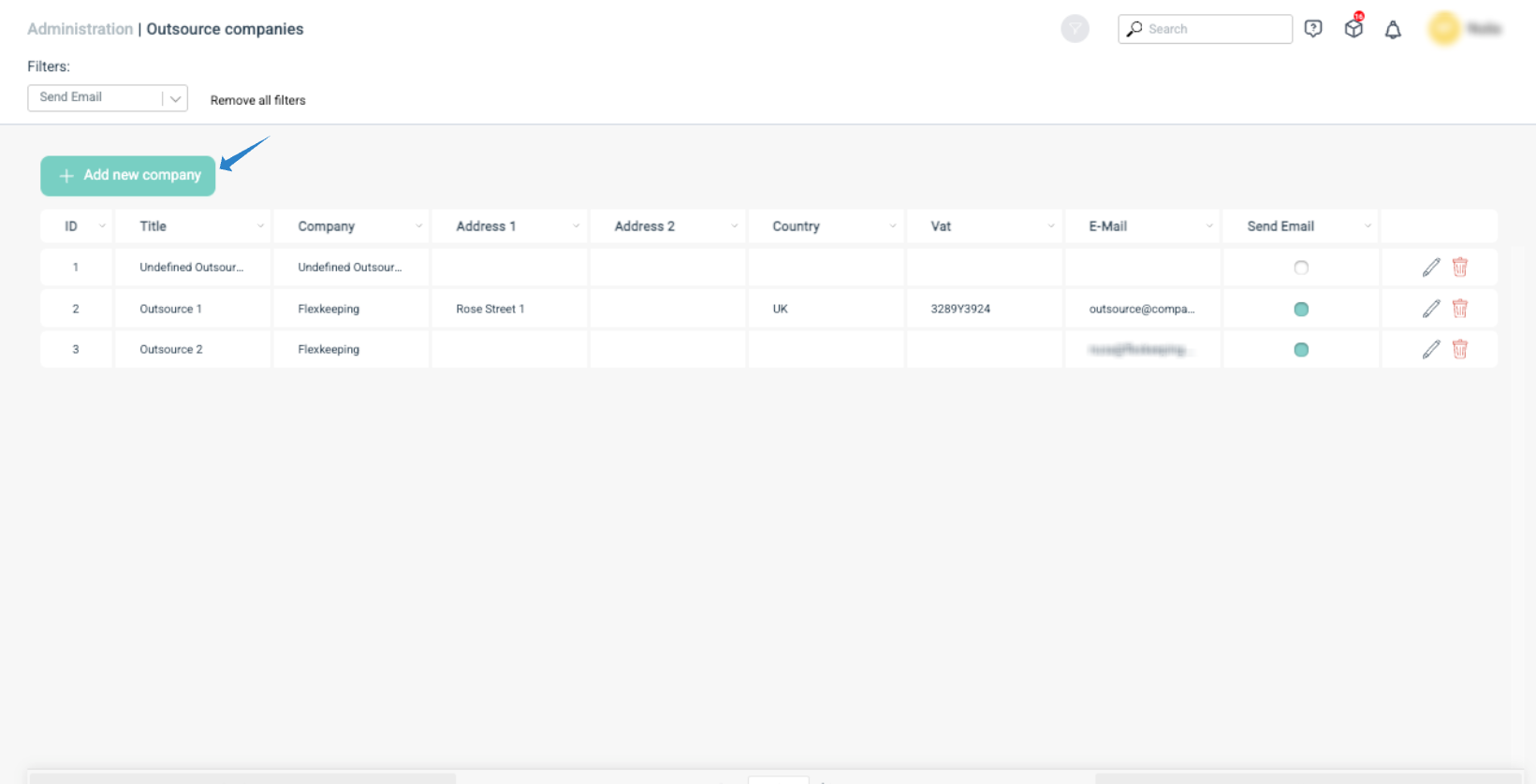
Complete the following fields:
- Title (required)
- Company name (required)
- Address (optional)
- Address 2 (optional)
- Country (required)
- Vat number (optional)
- Email (optional, but recommended if you intend to use automated email notifications)
If you would like flexkeeping to automatically send email notifications to the company when they are assigned to a repair, switch the “send email” option from no to yes.
When all information is entered, click the green checkmark icon to save. The new company will then appear on your list of available outsourced partners.
Assigning an outsource company to a task or repair
Outsource companies can be assigned within:
- Assignment → maintenance (most common use case), or
- Assignment → tasks (if your property uses external vendors also for non-repair tasks)
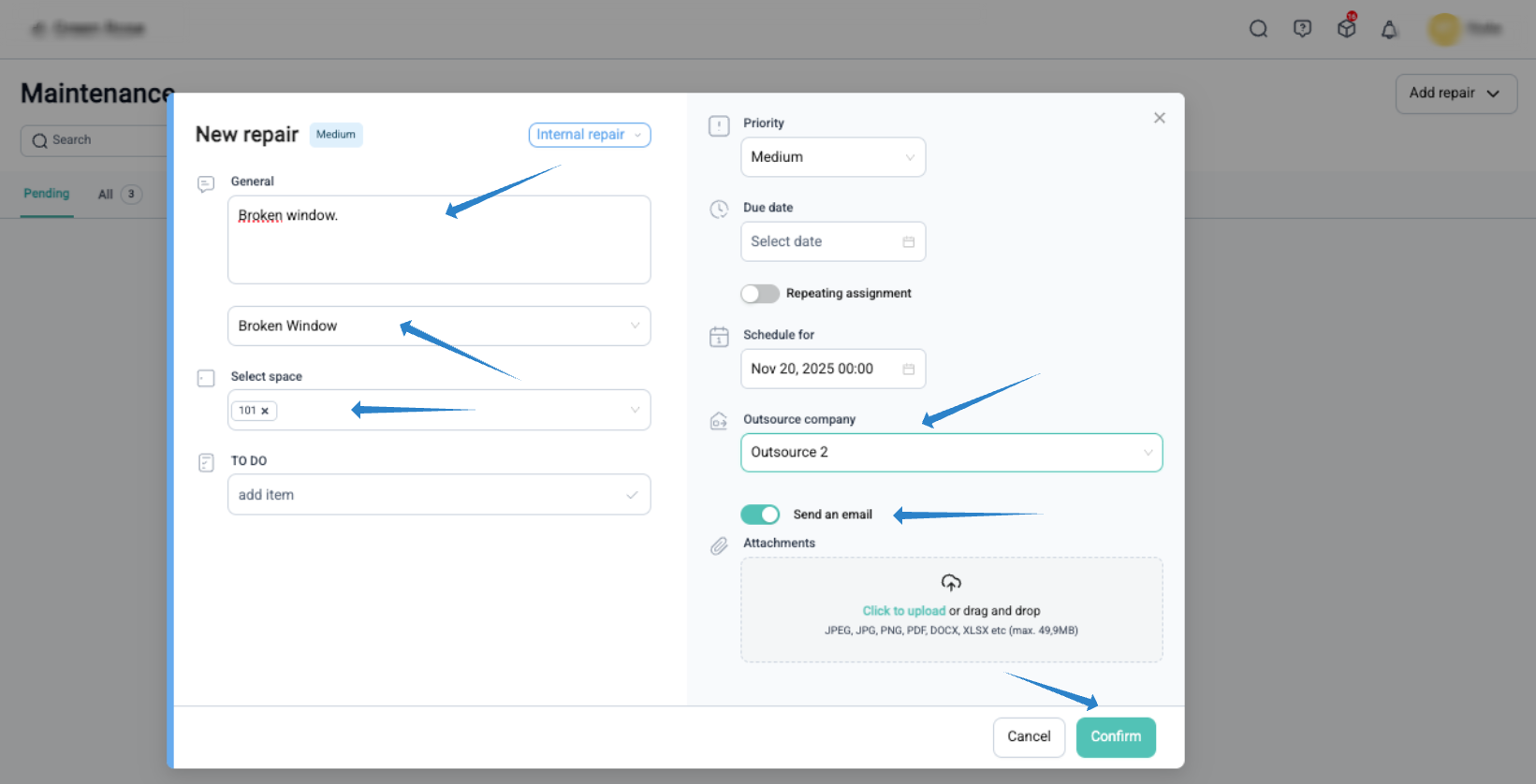
Check this help article to see how the assignment can be assigned to an outsourced company.
Important: Before you can assign a company, it must be added in the administration → outsource company section. If this menu is not visible to you, please contact the support team.
Automatic notifications to outsource companies
If an email address is linked to the company profile, flexkeeping can automatically notify them when they are assigned a repair.
When selecting the outsource company in the task:
- A popup will appear asking if you want to send an email
- Select “yes” to automatically dispatch the notification
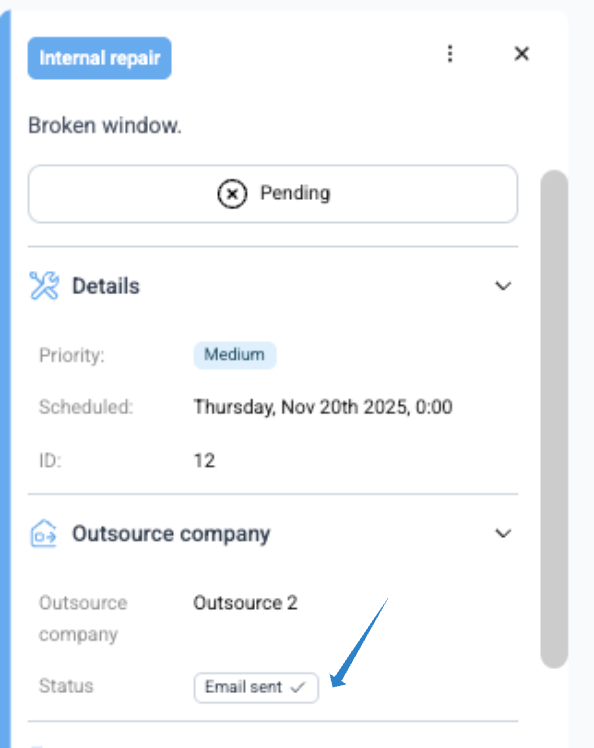
If the email will be send this information will also appear on the assignment details.
How the notification email looks
Flexkeeping sends the message to the email address saved in the company profile. The email includes:
- Property name
- Company name
- Name of the user who created the assignment
- Timestamp of when the task was reported
- Room number and property details
- Summary and description of the issue
- Attached files (if provided)
- A “schedule repair” button
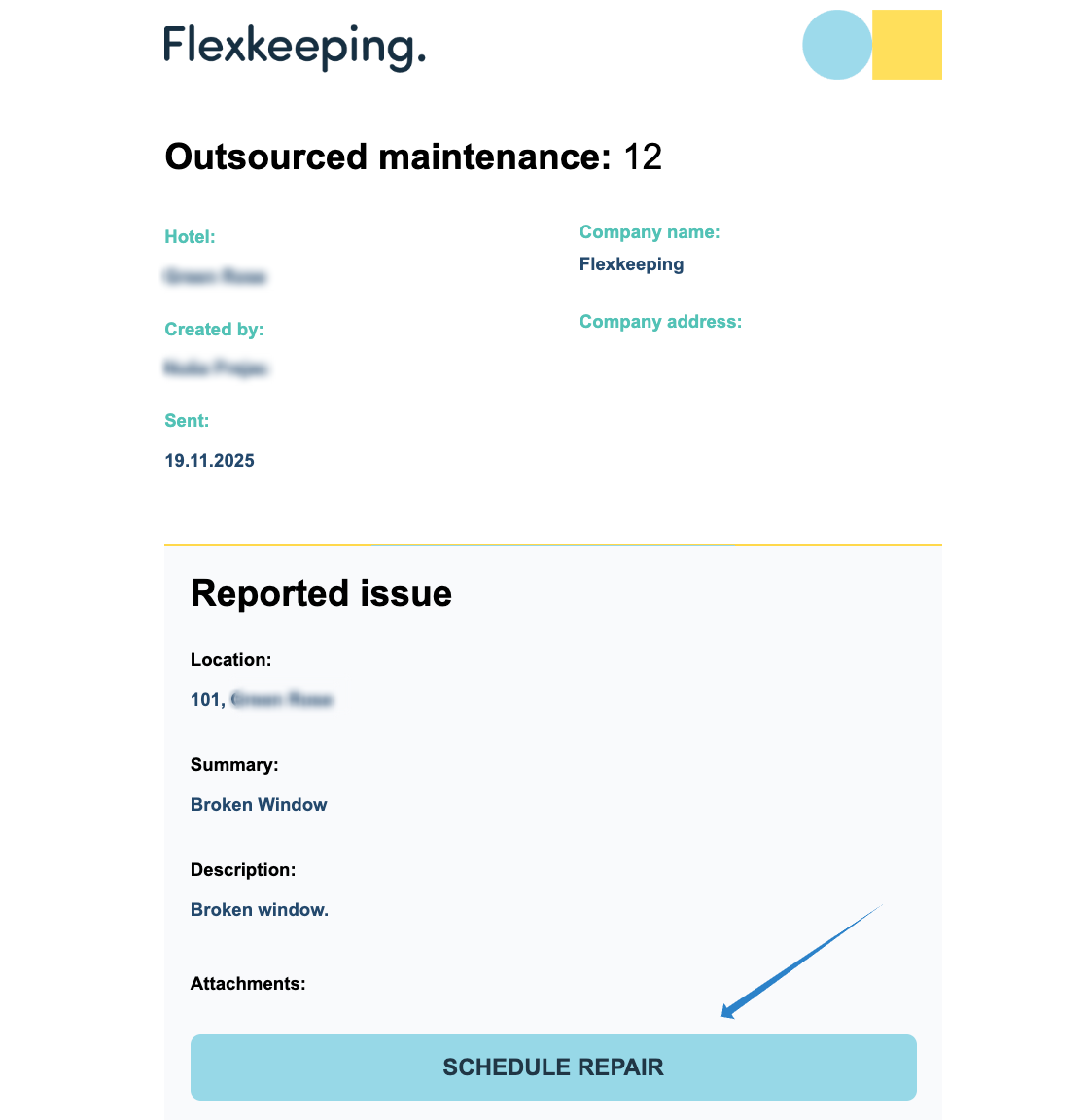
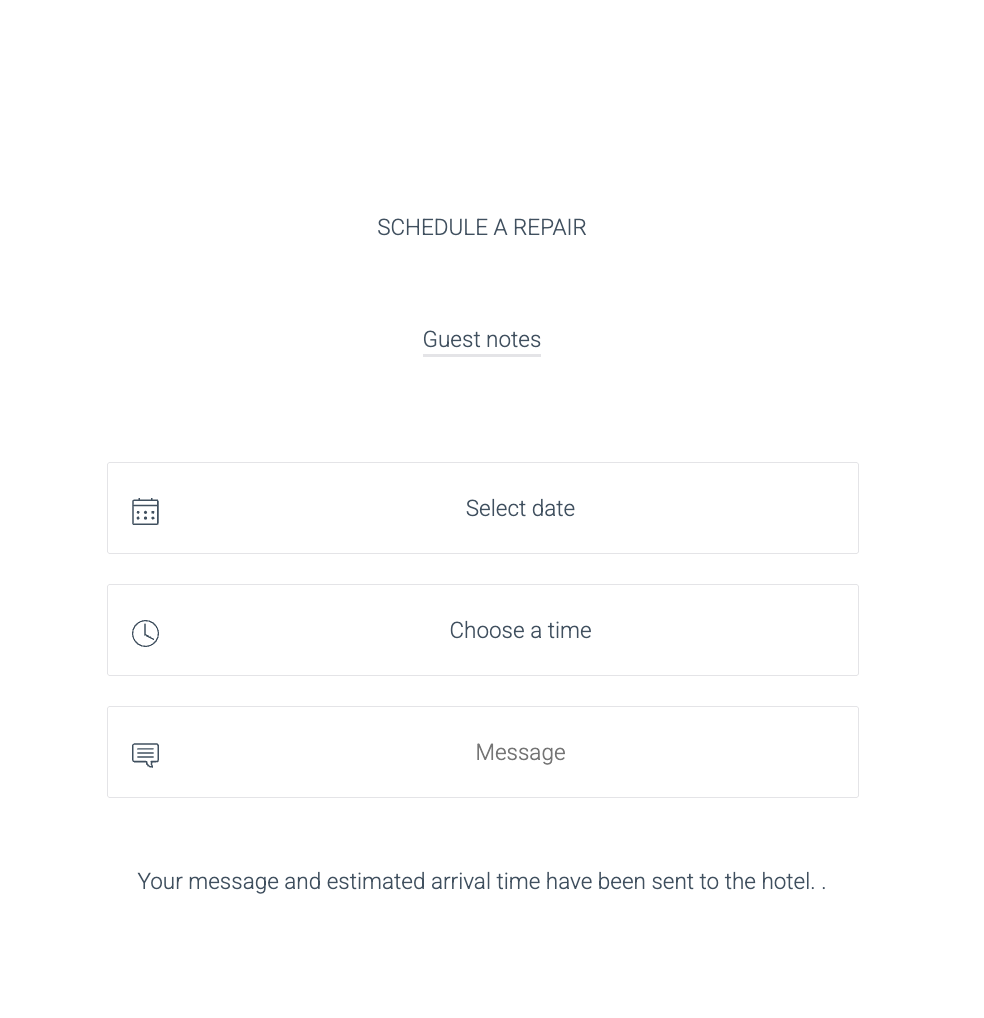
When the external provider clicks the button, a new page opens where they can:
- Select the repair date
- Choose the time of day
- Add an optional message for the property
- Confirm their planned visit
Benefits
This workflow ensures:
- Better visibility over all assigned repairs
- Clear communication with external partners
- Seamless tracking of outsourced work, including completed tasks
- More efficient maintenance management across your property
If you need any assistance setting up or managing outsourced companies, our support team is here to help.
Was this article helpful?
That’s Great!
Thank you for your feedback
Sorry! We couldn't be helpful
Thank you for your feedback
Feedback sent
We appreciate your effort and will try to fix the article