The In-room dining feature in Flexkeeping allows hotels to manage, track, and automate guest dining orders directly through the app. It provides full visibility for hotel teams — from order creation to delivery — ensuring smooth coordination between room service, kitchen, and front-of-house departments.
In the Kitchen View, the kitchen team manages incoming orders:
1. When they start preparing the order, they press Pick up.
This notifies the service team that the order is being prepared.

2. Once the order is ready, the kitchen presses Submitted, meaning it’s ready for delivery.
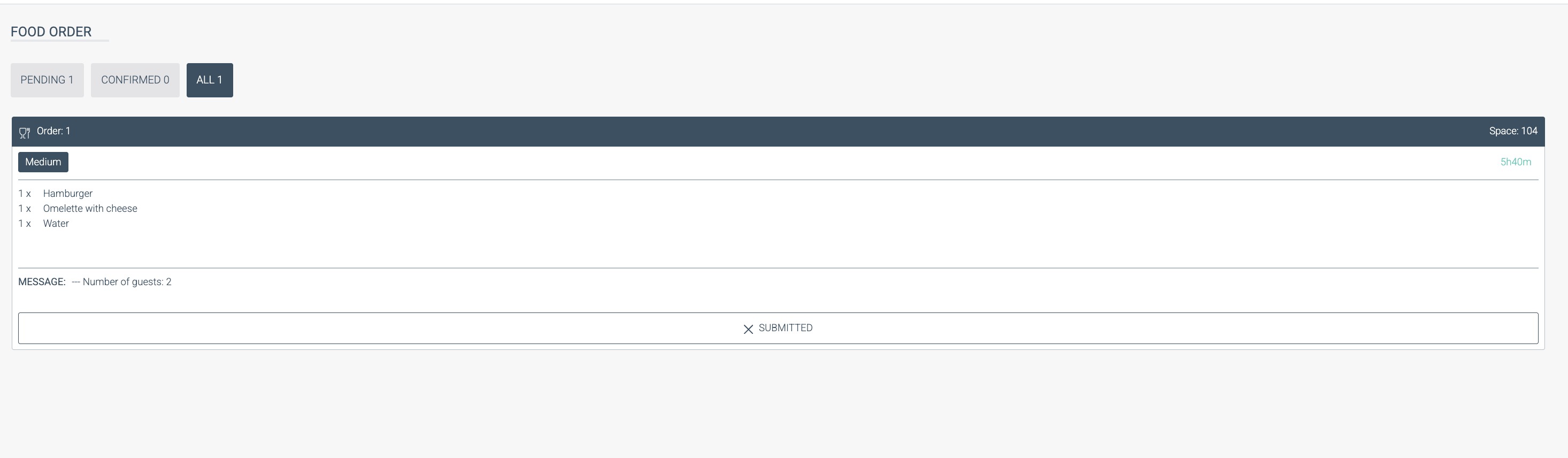
Kitchen view highlights
Optimized for touch screens for easier use in kitchen environments.
Displays Pick up and Completed statuses for better tracking.
Custom printer configurations are supported for:
Item list layout
Space configuration
Integration export printers
Was this article helpful?
That’s Great!
Thank you for your feedback
Sorry! We couldn't be helpful
Thank you for your feedback
Feedback sent
We appreciate your effort and will try to fix the article